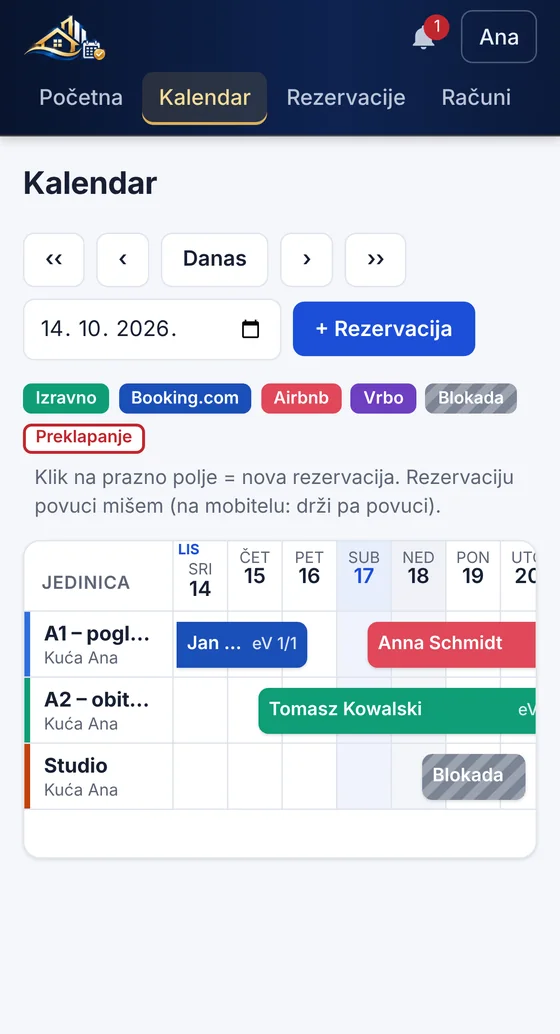
Calendar and channels
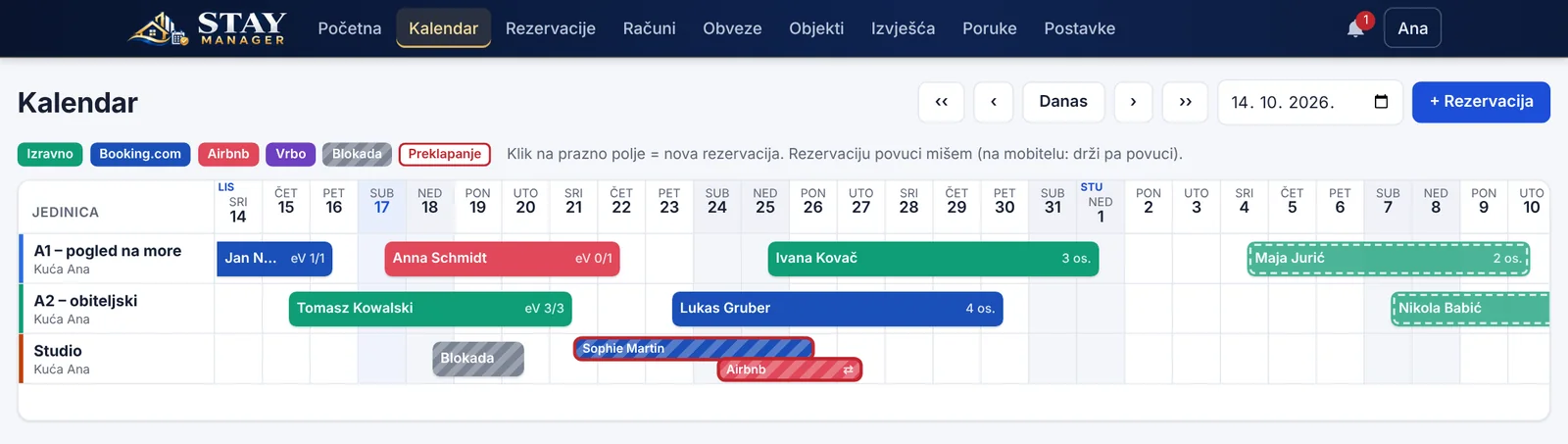
Booking.com, Airbnb and Vrbo in one calendar, with a warning when bookings overlap.

Apartment management
Stay Manager brings your Booking.com, Airbnb and Vrbo calendars, eVisitor guest registration, fiscalised invoices and tourist tax together in one program – in the browser on your computer, tablet and phone.
Works with the systems you already use
Six areas, one program
Every switch from one tool to another is a chance for a mistake: a double booking, a late guest registration or a missed deadline. Stay Manager keeps it all in one place.
Booking.com, Airbnb and Vrbo in one calendar, with a warning when bookings overlap.
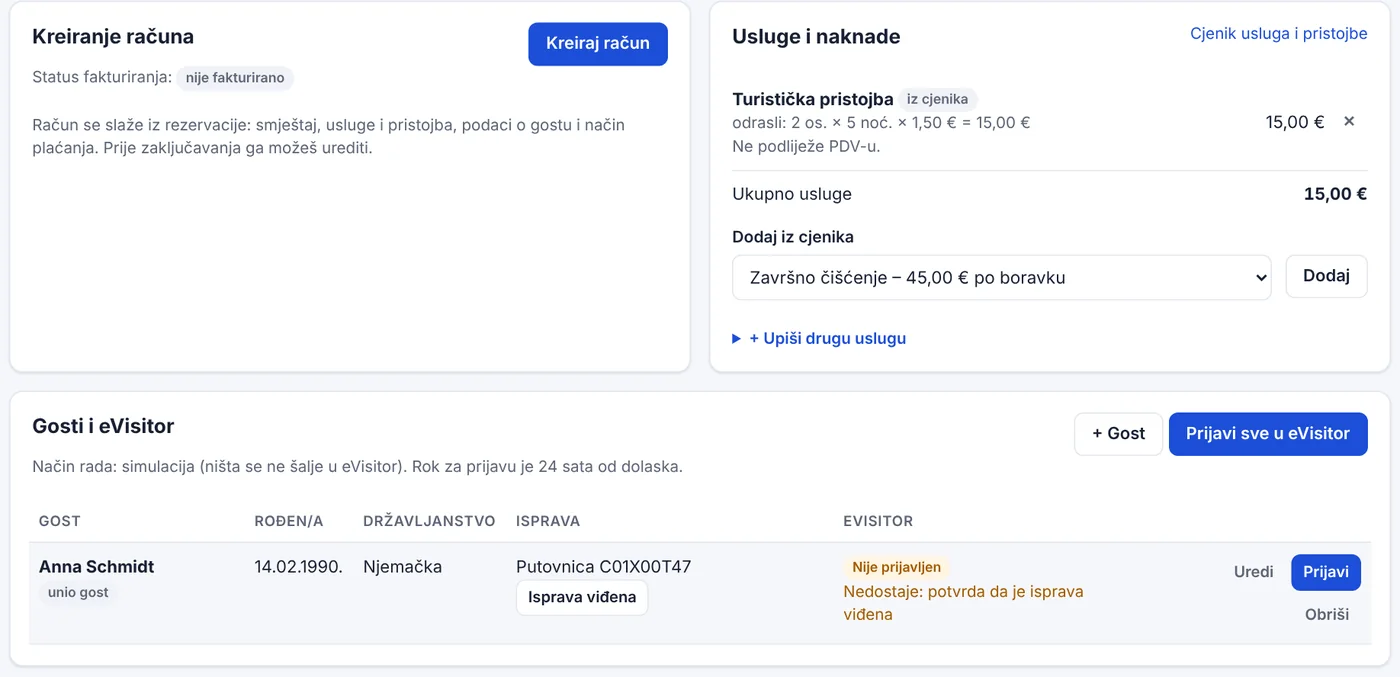
ID document scanning, guest self check-in and eVisitor registration in one click.
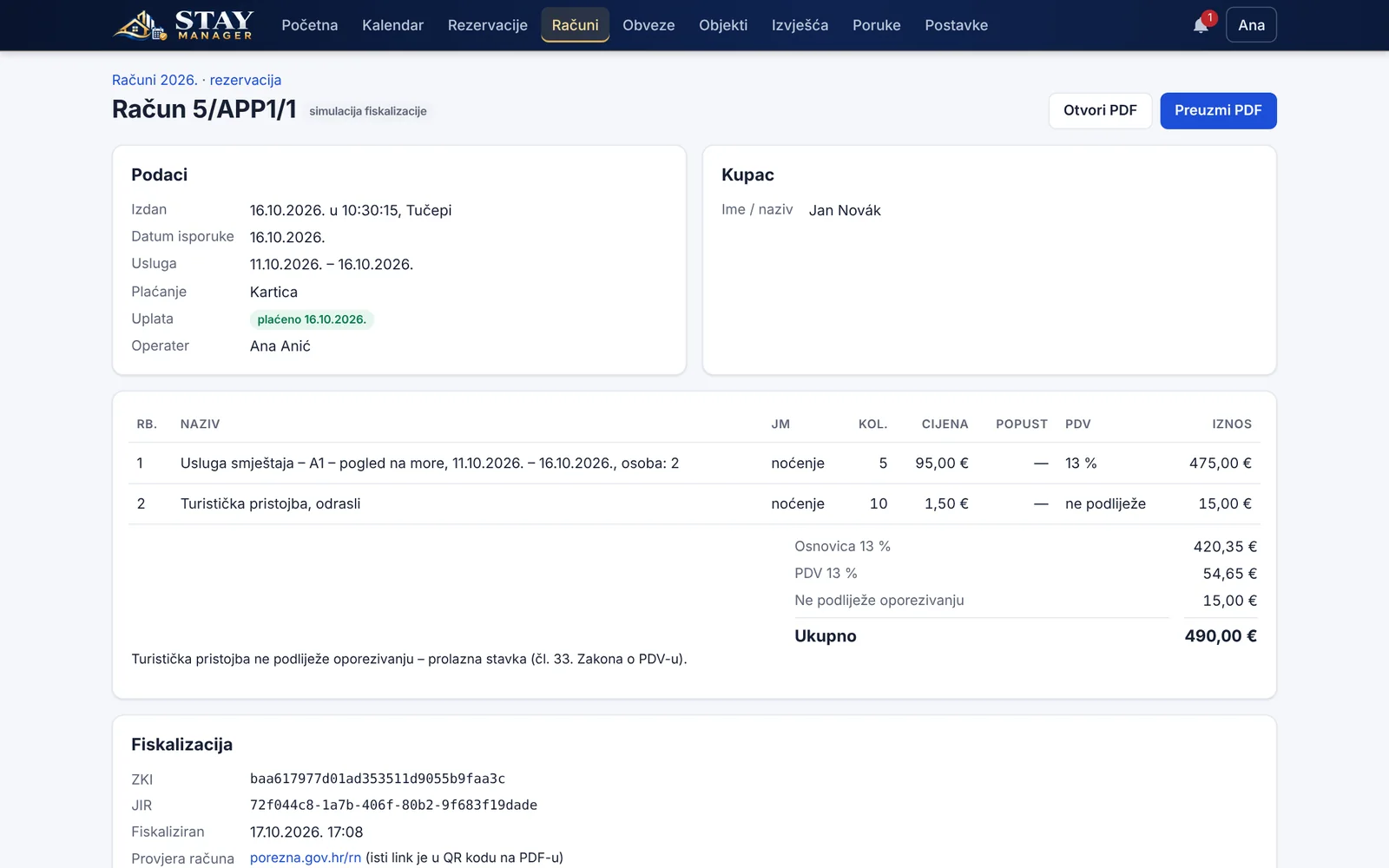
Invoices created from bookings, VAT per line item, ZKI, JIR and QR code.
Seasonal tourist tax and extra services added to bookings and invoices automatically.
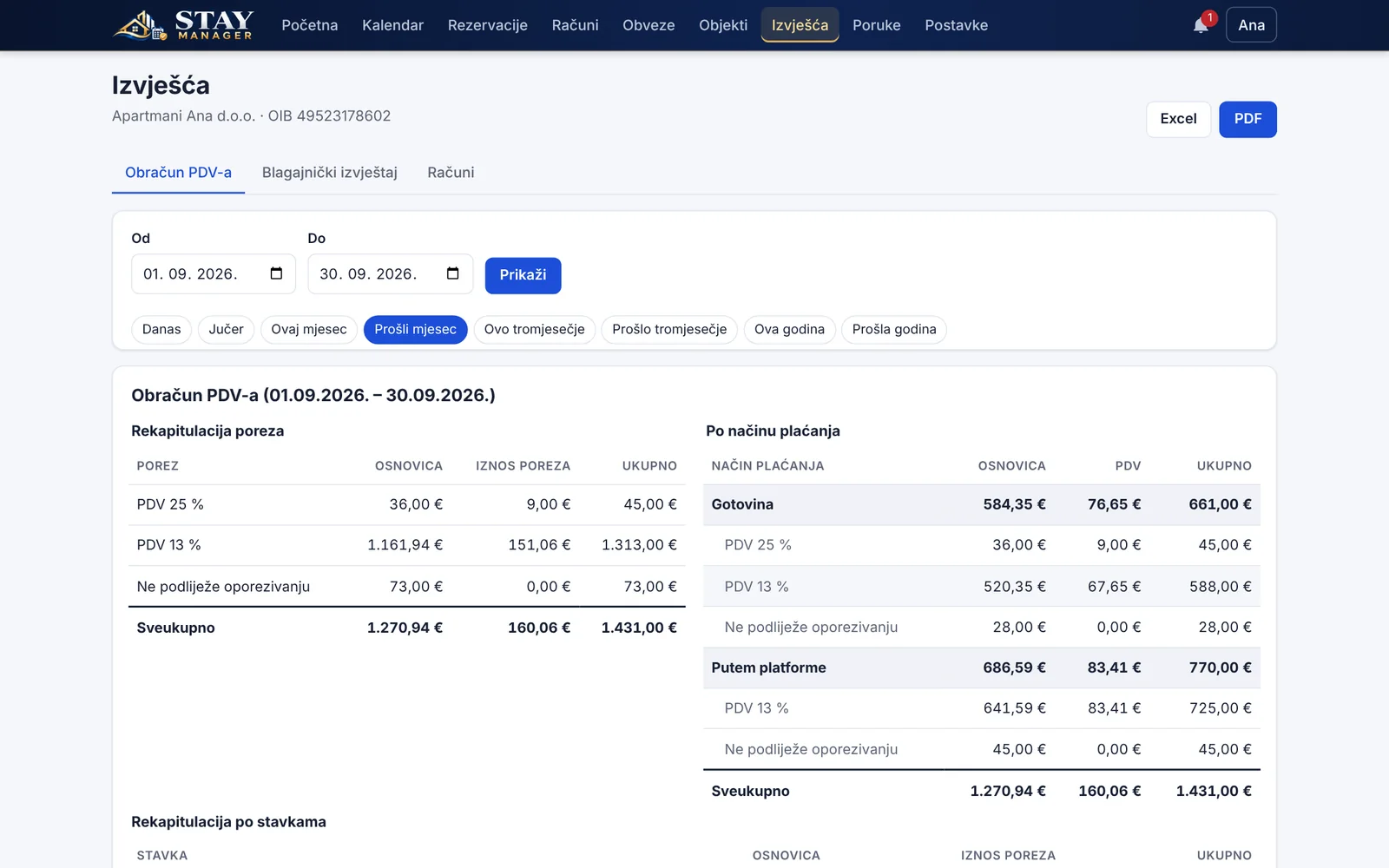
VAT, cash register and invoice lists for any period, with reminders for deadlines.
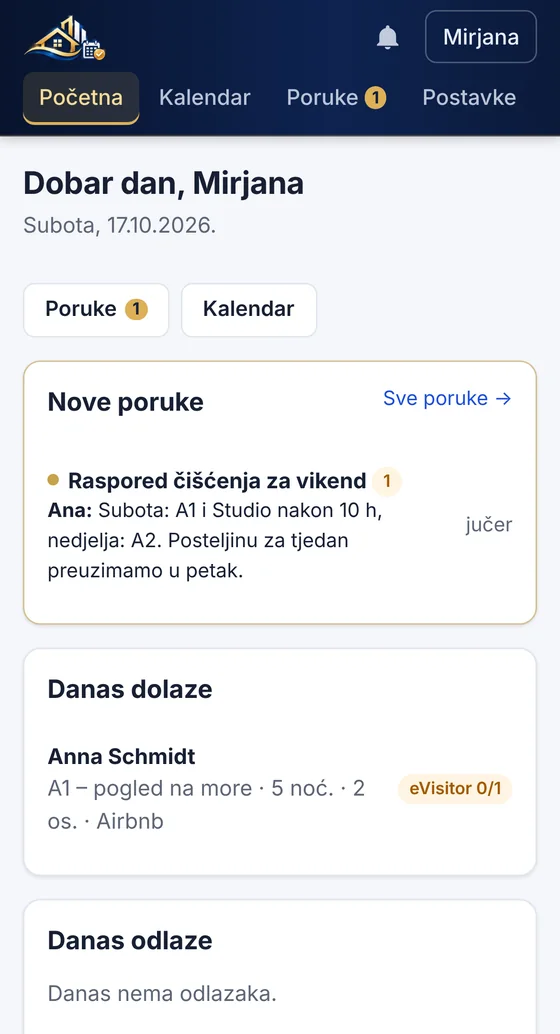
Roles with access rights, staff messaging and notes on each booking.
Features
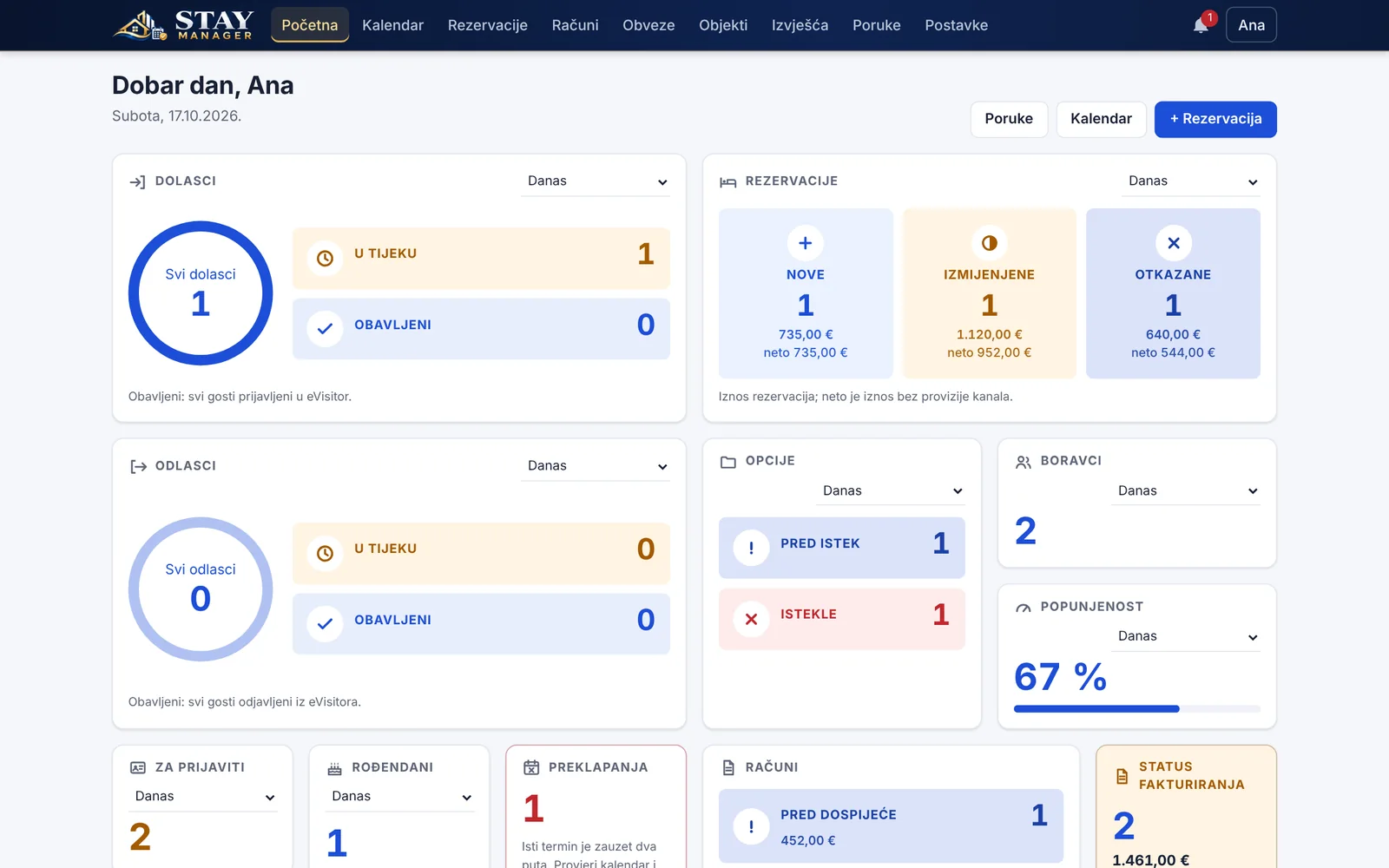
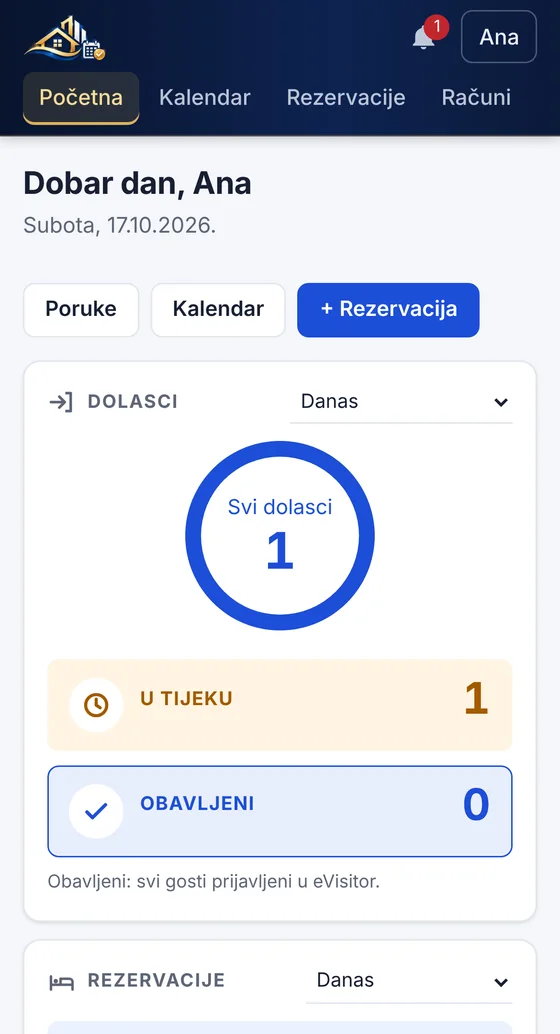
Screenshots from the program, with sample data.
Calendar and channels
Connect Booking.com, Airbnb and Vrbo through iCal links. Bookings from every channel and direct enquiries appear on one timeline per unit.
Guests and eVisitor
The program reads passport and ID card details from the machine-readable zone, and guests can also check themselves in through a link before arrival.
Invoices and fiscalisation
Accommodation, extra services, tourist tax and guest details carry over from the booking to the invoice. You can edit the invoice before it is locked.
Reports and obligations
VAT calculation, cash register report and invoice list for any period, with export to Excel and PDF.
Team and mobile
Stay Manager runs in the browser on computers, tablets and phones. Every staff member has their own account and sees only what they are allowed to.
Security
Stay Manager is installed on your own server, so guest data and invoices stay under your control.
The program runs on your server and the data is under your control.
HTTPS with a certificate that is set up and renewed automatically.
A database backup every day, restored with a single command.
Several companies on one server, each seeing only its own data.
Your eVisitor password and fiscal certificate are stored encrypted.
Roles and rights; a new password signs out every other device.
Get started
All you need is a small Ubuntu virtual server from an EU provider and your own domain.
Sets up the program, HTTPS, daily backups and the first user account.
Add your properties and units, paste in your channels’ iCal links, and try eVisitor and fiscalisation in simulation mode first.
FAQ
No. Stay Manager connects to your channels through iCal links and shows every booking in one calendar – your listings stay right where they are.
Details are filled in by scanning the guest’s ID document, or guests enter them themselves through a link. You check them and register the guest in one click; check-out works the same way.
Yes. Invoices are issued from bookings and fiscalised, with ZKI and JIR codes and a QR code. Before going live you can try everything in simulation mode.
On your own server in the EU. The connection is encrypted, the database is backed up every day, and your eVisitor password and fiscal certificate are stored encrypted.
Yes. Stay Manager runs in the browser on your phone, tablet and computer – there is no app to install.
Yes. Every staff member gets their own account and a role with its own rights – a housekeeper, for example, sees only arrivals, departures and messages.
Request a demo
Send us a message and we will show you the program using examples from your day-to-day work.
We will be in touch soon at the email address you provided.